
Desk & Office Guides
Laptop Stand or Monitor Riser: Fixing Screen Height Without a New Desk
Nov
Disclosure: this site earns a commission from qualifying purchases made through the links below, at no extra cost to you.
Most desk discomfort that gets blamed on the chair is actually a height problem, and there are only two cheap fixes for it: lift the laptop, or lift the monitor. They are not interchangeable, they solve different mistakes, and buying the wrong one moves the pain from your neck to your wrists. Here is how to tell which one you need before you spend anything.
Three measurements, taken sitting down
Sit the way you actually sit when you are working, not the way you sit for the first ten minutes. Then measure three things with a tape or a book and a pencil mark.
1. Eye height above the desk. Look straight ahead at a point on the wall. The top third of your screen should land on that line — not the middle of the screen, and not the top edge either. Most people are looking down 15 to 20 degrees all day without noticing.
2. Elbow height. Let your arms hang, then bend them to 90 degrees. That is where your hands should be typing. If your elbows are below your hands, your shoulders are doing the work; if they are above, your wrists are bending back.
3. Screen distance. At arm’s length, fingertips should just about touch the screen. Closer than that and your eyes converge harder than they need to; much further and you lean in.
Write those numbers down. The gap between your eye height and where the screen top actually sits is the number that decides the purchase.
The laptop trap: raising the screen also raises the keyboard
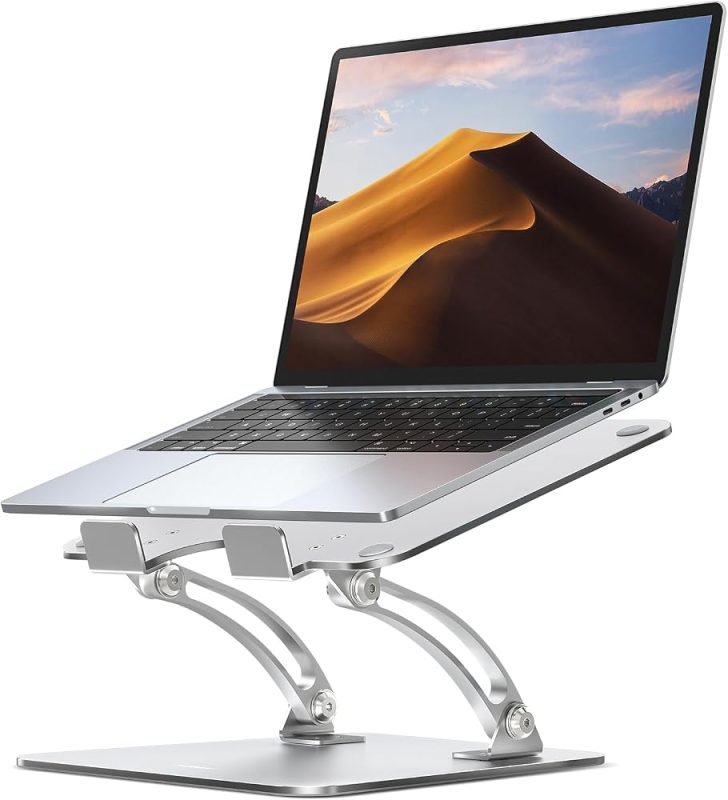
A laptop is a hinge, and that is its design flaw for desk work. Every centimetre you lift the screen to get it to eye level also lifts the keyboard, because they are the same object. Set the screen right and your hands are now typing somewhere around your collarbone.
So a laptop stand on its own does not fix posture; it trades neck flexion for wrist extension. Used properly, a stand is one half of a two-part fix: the laptop goes up, and a separate keyboard and mouse come down to desk level. That is the whole recipe, and it is why the stand is the cheap half.
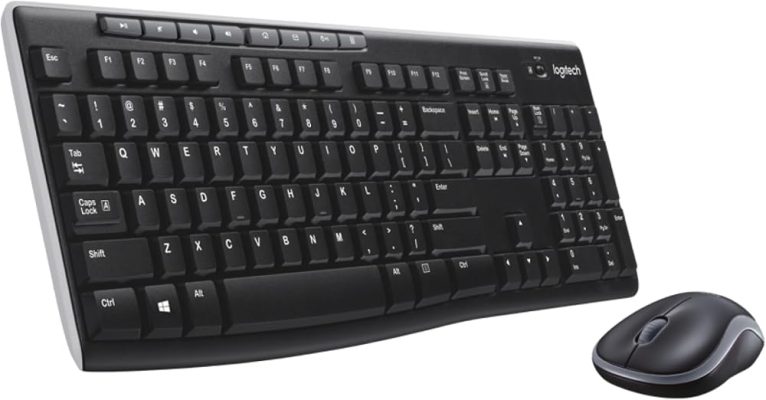
The Adjustable Aluminum Laptop Stand is a plain aluminium riser with adjustable height and an open back, which is all a stand needs to be — the job is elevation plus airflow, not features. Pair it with a wireless keyboard and mouse set that can sit flat on the desk rather than on the laptop, which is what the Wireless Keyboard and Mouse Combo is for. Skip the keyboard half and the stand is a net loss.
The monitor case: the screen sits low because of its own foot
If you work on a desktop monitor, the height problem is usually the stand that came in the box. Monitor feet are designed for stability, not for the person sitting in front of them, so a 24- or 27-inch panel typically tops out a hand’s width below eye level.
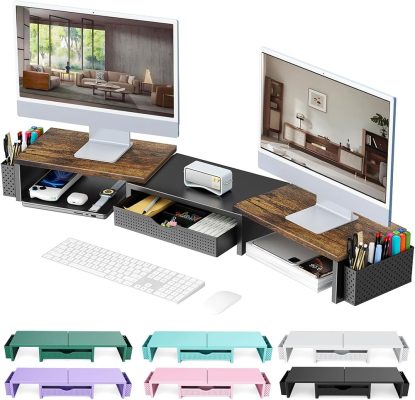
The Monitor Stand Riser with Storage Drawer does two things at once: it lifts a monitor 3 to 4 inches, and it puts a shallow drawer under the screen where the pens, cables and sticky notes otherwise live on the desk surface. Bamboo rather than MDF matters here — it is stiffer over a 60cm span, so the shelf does not sag under a monitor that weighs a few kilos.
One caution: check the width of your monitor’s foot against the platform before ordering. A riser with a drawer has a solid top surface, and a wide V-shaped stand can overhang it. Measure the footprint, not the diagonal of the screen.
Test it free before you buy anything
Stack books, a chopping board, or a cardboard box to the height you measured, and work a full day on it. Two things happen. You find out whether the height you calculated is actually comfortable, and you find out whether the fix creates a new problem — usually that the keyboard is now in the wrong place, which tells you that you are in the laptop case and need the external keyboard as well.
This test also rules out the possibility that your monitor is fine and your chair is too low. If raising the screen makes your shoulders climb, the desk is the problem, and no riser fixes a desk that is 8cm too tall. A footrest and a lower seat are the free answer there.
When neither is the answer
Two monitors at different heights. A single riser cannot serve two panels cleanly. A clamp-on monitor arm is the correct tool, because each screen gets its own height; a riser under one screen and not the other will have you looking at two different horizons all day.
A very tall user. If your eye line is more than about 20cm above the desk surface, a fixed riser will not reach it and a laptop stand will be at the end of its travel. That is desk-and-arm territory.
A standing desk. Height changes twice a day, so anything fixed is wrong half the time. Buy an arm, or accept that the riser is a sitting-only solution.
What I would skip
Cooling pads marketed as laptop stands: they are usually a low wedge that gets the screen further from eye level than the desk did, and the fans do less than the open back of a plain aluminium riser. Clip-on laptop screen lifters, which raise the panel a few degrees without raising the base: better than nothing, not enough to matter. And any product that claims to fix posture by itself — the geometry is the fix, and the hardware only holds the geometry.
The order to buy in, and what it costs
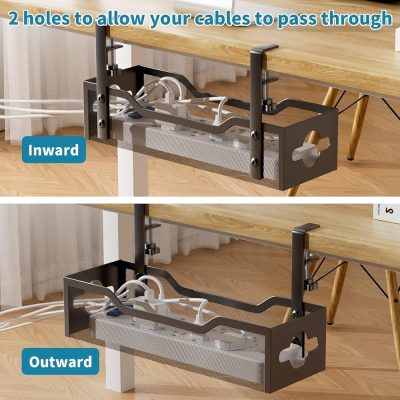
Laptop on a desk: stand first ($29.99 here), then a keyboard and mouse, then cable tidying. The Under-Desk Cable Management Tray is the one people leave too long — a tray that clamps under the desk gets the power brick and the display cable off the floor, which is what stops the cable from pulling the laptop sideways every time you move.
Desktop monitor: riser first ($49.99 here), keyboard at desk height second. If the monitor has no height adjustment, the riser is the entire fix.
Both at once, on a small desk: measure the platform widths before you buy two of anything, and remember that a riser with a drawer needs clearance in front of it to open.
If you are still assembling the desk itself, our desk setup under $100 guide covers the mat, the organizer and the lamp in the order that actually helps, and the full guide index has the rest of the room-by-room builds. The one thing not to do is buy the stand, feel the relief in your neck for a week, and stop there while your wrists take the transfer.
Where to buy
Everything referenced above is listed in our store — we only link to products we would recommend at the stated use:
Disclosure: this site earns a commission from qualifying purchases made through the links below, at no extra cost to you.
Products in this guide
The exact items referenced above. As an Amazon Associate we earn from qualifying purchases — details.
n
More buying guides
Products we would check first
Picked for this topic. Live price and availability are on the Amazon page — confirm there before you buy.
