
Desk & Office Guides
A Desk Setup Under $100 That Does Not Wreck Your Neck
Nov
Disclosure: this site earns a commission from qualifying purchases made through the links below, at no extra cost to you. See our affiliate disclosure.
Working off a laptop at a table means either your hands are at the right height and your eyes are wrong, or the reverse. You cannot fix both with one object, which is why the cheapest useful desk upgrade is not a chair – it is a stand plus a way to keep the keyboard where your hands already are.
The height maths, in one paragraph
With the screen at eye level, the top third of the display should be roughly horizontal from your eyes and the bottom edge should not require a tucked chin. A laptop flat on a 29-inch desk puts the screen centre about 12 inches below eye level, which is roughly 15 degrees of neck flexion held for hours. A stand that raises the hinge 6-8 inches closes most of that gap – and then you need an external keyboard, because you cannot type on a laptop up at eye level.
The three things worth buying, in order
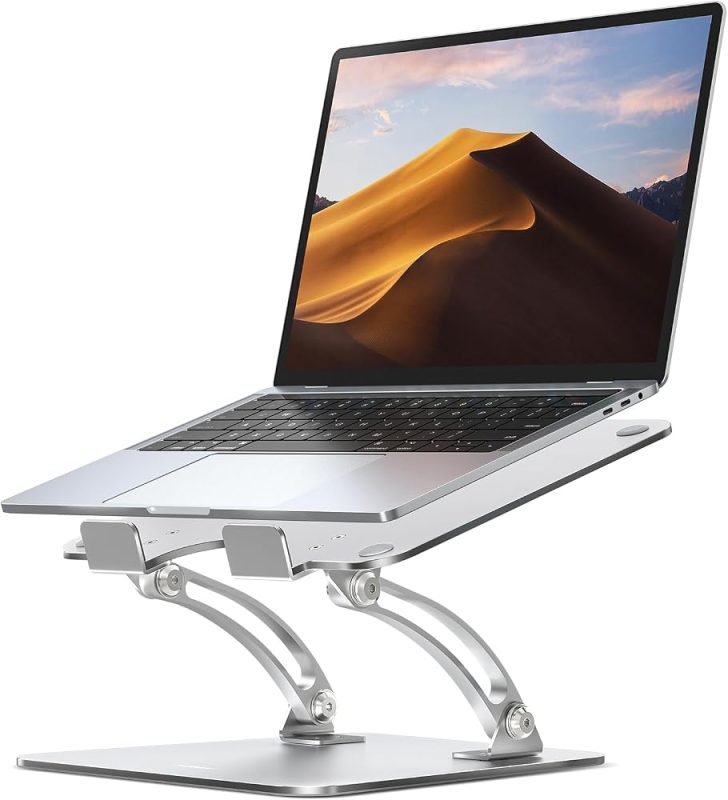
1. A stand that raises the screen without wobbling. Aluminium, stepped adjustment, rated for your machine’s weight. The Adjustable Aluminum Laptop Stand is a fixed-angle aluminium riser with a lip that holds the laptop in place; it is stiff enough that typing on the desk does not shake the screen, which is the failure mode of the $12 plastic ones.
2. A desk mat. Not aesthetics – a 32×16 mat gives the mouse a consistent surface, stops the laptop feet grinding the finish, and quietens the keyboard. The Large Desk Mat (Waterproof, 32×16) is waterproof, which matters the first time a mug goes over.
3. A cable tray under the desk. One tray turns eight dangling cables into one trunk you can vacuum around. The Under-Desk Cable Management Tray clamps to the underside without drilling, which is the only option if you rent.
That is $29.99 + $14.99 + $16.99 = $61.97 at the prices we measured in November 2026. Add a $25 wired keyboard and you are still under $90.
If you would rather buy the three pieces in one place: the aluminium laptop stand, the 32×16 waterproof desk mat, and the clamp-on cable tray. For a desktop monitor, the riser with storage drawer replaces the laptop stand.
If you use a desktop monitor instead
A riser with a drawer does two jobs: lifts the monitor to eye level and gives the clutter somewhere to live. The Monitor Stand Riser with Storage Drawer at $49.99 is the option we stock, but be honest about the total – riser plus stand plus mat plus tray is $111.96, over the $100 in the title. With a desktop monitor you usually do not need the laptop stand as well, so pick one path, not both.
What does not help
A laptop cooling pad is not an ergonomic fix; it raises the machine an inch and adds noise. A stack of books works for a week and migrates back to the shelf. A monitor arm is the right answer for a heavy external display, but it is a $40-80 spend and needs a desk edge that takes a clamp.
FAQ
Do I need a dock? Only if you want one cable for power, display and peripherals. A stand plus keyboard works without one; the dock is convenience, not ergonomics.
Will a stand fit a 17-inch laptop? Check lip depth and weight rating. Most aluminium risers are rated to 17 inches, but a gaming laptop with a big battery can exceed the weight limit.
Is a standing desk the real answer? A sit-stand frame is the better long-term buy at eight hours a day, but it is $300+. The $62 above is what you do this month.
Where to buy
Everything referenced above is listed in our store — we only link to products we would recommend at the stated use:
Disclosure: this site earns a commission from qualifying purchases made through the links below, at no extra cost to you. See our affiliate disclosure.
More buying guides
